.png)
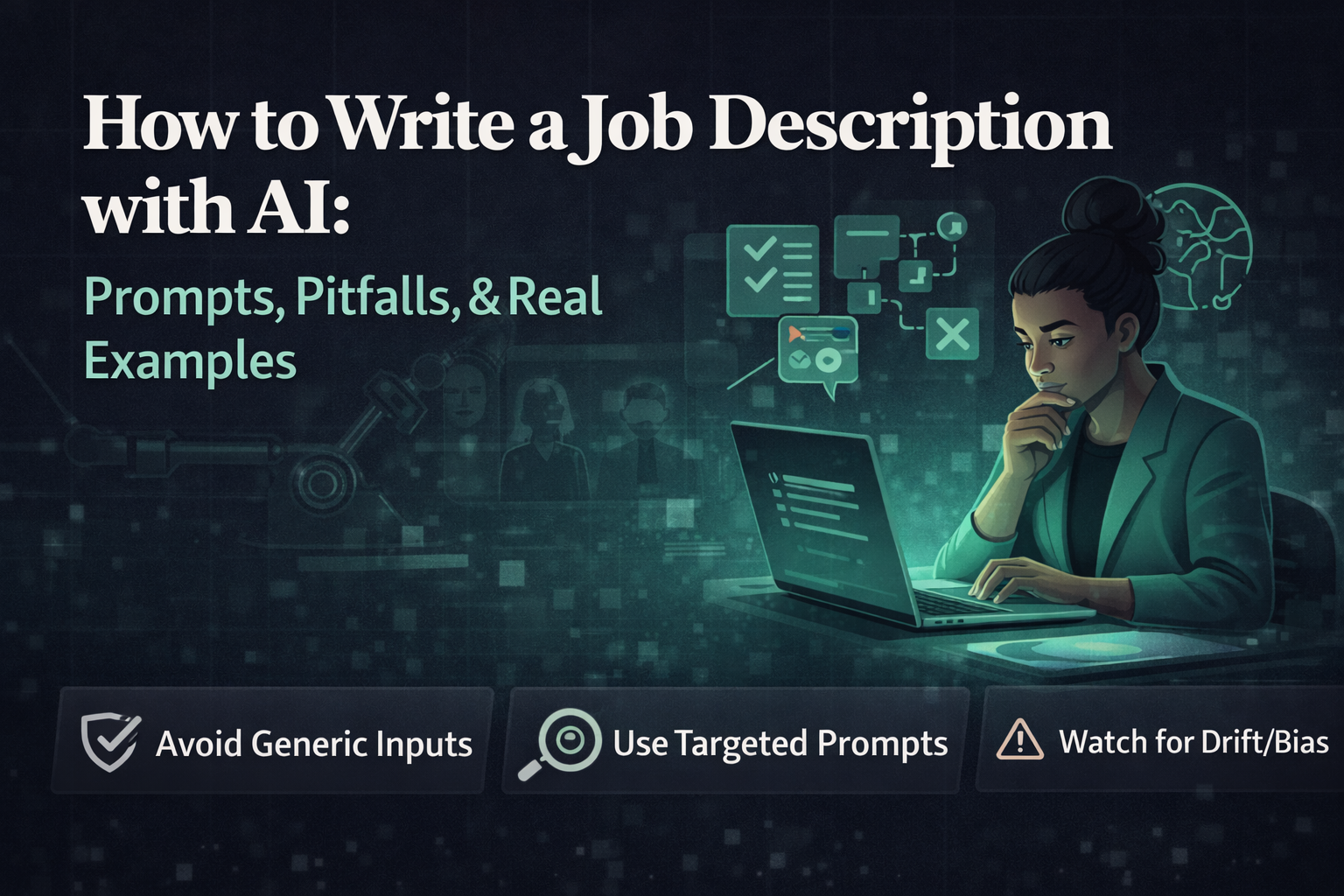
How to write a job description with AI: prompts, pitfalls, and real examples
.jpeg)
March 15, 2026
AI Isn't the Problem. Bad Inputs Are.
AI has made writing job descriptions faster than ever. Type a prompt, hit enter, and you have a complete listing in under thirty seconds. On the surface, it looks like a solved problem.
But read most AI-generated job descriptions and they all sound identical. Generic language. Vague responsibilities. A laundry list of requirements that no single human could actually meet. Nothing that makes a candidate stop scrolling and think, this one is for me.
A good AI-assisted job description isn't written in one prompt. It's built through a sequence, starting with clarity, followed by structured prompting, refined through iteration. This guide breaks that process down properly, with real examples and copy-paste prompts you can use today.
Why Most AI Job Descriptions Fail
If you scan job boards right now, the majority of listings follow the same pattern. Different words, same empty meaning. And AI has amplified this problem rather than fixed it, because when vague inputs meet capable outputs, you get polished mediocrity.
They sound like every other company
Phrases like "fast-paced environment," "self-starter," and "passionate team player" appear so frequently they communicate absolutely nothing. A candidate reading these doesn't learn anything meaningful about the role, the team, or the company.
The company is the hero, not the candidate
Most job descriptions spend half their length introducing the company and very little explaining what a candidate will actually do every day. Candidates care about the work first, the brand second.
Requirements are inflated
AI tends to generate long requirement lists, partly because training data is full of them. The result: roles that demand a decade of experience for an entry-level title, or seven required tools when three are actually used. This discourages qualified candidates, especially women and underrepresented groups who are less likely to apply unless they meet every requirement.
No context, no stakes
There's rarely any mention of why the role exists right now, what problem it solves, or what success looks like in 90 days. Without that, the role feels like a backfill rather than an opportunity.
Every single one of these problems points back to the same root cause: no clear brief before prompting.
The Missing Step Most Recruiters Skip: The Brief
Before writing a single prompt, the most important step is defining what the role actually involves. This sounds obvious. It's almost universally skipped.
Most teams jump straight into generation. The AI fills in the gaps with generic assumptions. The output is technically complete but contextually empty.
A strong job description starts with honest answers to these five questions:
- What will this person spend most of their time on, week to week?
- What problem are they expected to solve in the first 90 days?
- Who will they report to and collaborate with most?
- What are the genuine non-negotiable requirements (not aspirational ones)?
- What makes this role interesting or different from a similar role elsewhere?
Write these answers in plain language first, no polish needed. When you paste this context into your prompt, the AI output becomes sharper, more specific, and actually useful. Without it, you'll always get something average.
5 AI Prompts That Actually Work
Most people use one prompt and stop. That's exactly where quality breaks down. The better approach is to treat it as a sequence, each prompt refining a specific layer of the description.
1 · The Specificity Prompt
Replace vague instructions with real context from your brief.
Write a job description for a [role title] at [company name], a [one-line company description]. This person will primarily be responsible for: [2, 3 core responsibilities] Their main goal in the first 90 days: [specific outcome] They'll work closely with: [team/stakeholders] Must-have skills: [3, 4 genuine requirements] Nice-to-have: [1, 2 bonus skills] Tone: [e.g., direct and human, not corporate] Write in second person. Keep it under 400 words.
2 · The Candidate Perspective Rewrite
Most JDs are written from the company's POV. Flip it, candidates read to understand what's in it for them, not what the company needs.
Rewrite this job description from the perspective of a high-performing candidate who is not actively job hunting. What would make them stop and read? Lead with what they'll own and learn, not what we need from them.
3 · The Bias Audit Prompt
Even well-written JDs can unintentionally narrow your talent pool. This step is not optional if you care about hiring diverse candidates.
Review this job description for language that might unintentionally discourage qualified candidates. Flag: gendered language, credential requirements that aren't truly necessary, jargon that excludes without adding meaning, and any tone that reads as aggressive or hyper-competitive. Suggest specific rewrites for each issue you find.
4 · The SEO Optimization Prompt
Job descriptions are discoverable content. Candidates don't search for your internal job titles, they search for real terms.
Review this job description for search visibility. What terms would a qualified candidate actually type into Google or a job board to find this role? List any missing keywords and show where they could be added naturally without forcing them. Also flag any job title that candidates wouldn't recognise or search for.
5 · The Inclusive Language Check
A final pass for the small details that signal whether a role is truly accessible.
Check this job description for age-coded language, assumptions about work style (e.g., "always available," "thrive under pressure"), cultural bias, and any physical requirements listed that aren't actually necessary for the role. Rewrite any flagged lines to be more inclusive while keeping the tone honest and specific.
Real Example: Before vs After
The difference between a forgettable job description and a compelling one isn't length. It's specificity and honesty. Here's the same Marketing Manager role, one written with a vague AI prompt, one written using the process above.
"We are looking for a passionate and self-motivated Marketing Manager to join our fast-growing team. The ideal candidate has 5+ years of experience and a proven track record of success in a dynamic environment."
Could apply to 10,000 companies. No context, no differentiation, no reason to care.
"We're hiring a Marketing Manager to own our content and SEO strategy as we expand into enterprise. You'll define how we generate demand in a new market segment and work directly with our founding team to shape the growth narrative."
Tells you what the role is actually for, who you'll work with, and why it exists right now.
The "after" version works because it answers the three questions every candidate is silently asking: What will I actually do? Why does this role matter? Why now?
Common Pitfalls (and How to Avoid Them)
-
1Overloading the requirements list Long lists don't improve quality, they reduce applications. Separate must-haves from nice-to-haves in your brief before prompting. Ask yourself: would you actually reject a great candidate who doesn't have this?
-
2Copy-pasting the output without reading it AI-generated content still needs a human read. Check for any claims about your company that aren't accurate, and any tone that doesn't match how your team actually communicates.
-
3Weak structure Job descriptions should flow logically: what the role is why it matters what you'll do what we need. Candidates scan before they read. If the structure is poor, they leave.
-
4Ignoring legal risk Certain language around age, gender, physical ability, or nationality can create compliance issues in many jurisdictions. If you're hiring across borders, the bias audit prompt isn't optional.
-
5Using a job title no one searches for Creative internal titles like "Growth Ninja" or "Customer Champion" may sound fun, but no candidate types them into a job board. Use the SEO prompt to check discoverability before publishing.
How to Optimise Job Descriptions for SEO
Most hiring teams think about SEO only for marketing content. But job descriptions are searchable assets, and the ones that rank get seen by candidates who weren't looking for them yet.
- Use the job title candidates actually search for, not your internal label
- Include natural keyword variations within the description (e.g., "SEO manager," "search marketing," "organic growth")
- Include the city or region clearly, location is a major search filter
- Write a clear meta description (most job boards use the first 150 characters)
- Avoid keyword stuffing, job board algorithms penalise unnatural repetition just like Google does
The simplest test: type the job title into Google followed by your city. What comes up? The listings on page one are using terms and structures that work. Model the pattern, not the content.
Where AI Tools Like NinjaHire Fit
AI is not a replacement for thinking. It's a multiplier of clarity. When you feed it strong inputs, it accelerates execution. When you don't, it amplifies mediocrity.
Standalone AI tools like ChatGPT are useful for drafting. But they don't know who actually applied to similar roles, which requirements filtered out strong candidates, or how the description connects to screening criteria downstream.
NinjaHire connects job description creation with the full hiring workflow. This means what's written in the description actually aligns with how candidates are evaluated, from sourcing through screening, so you're not just attracting applicants, you're attracting the right ones.
Frequently Asked Questions
Write better job descriptions, faster.
NinjaHire connects AI-powered job description creation with smart candidate screening, so every description works harder for you.
Try NinjaHire