.png)

What Is Recruiting Workflow Automation?
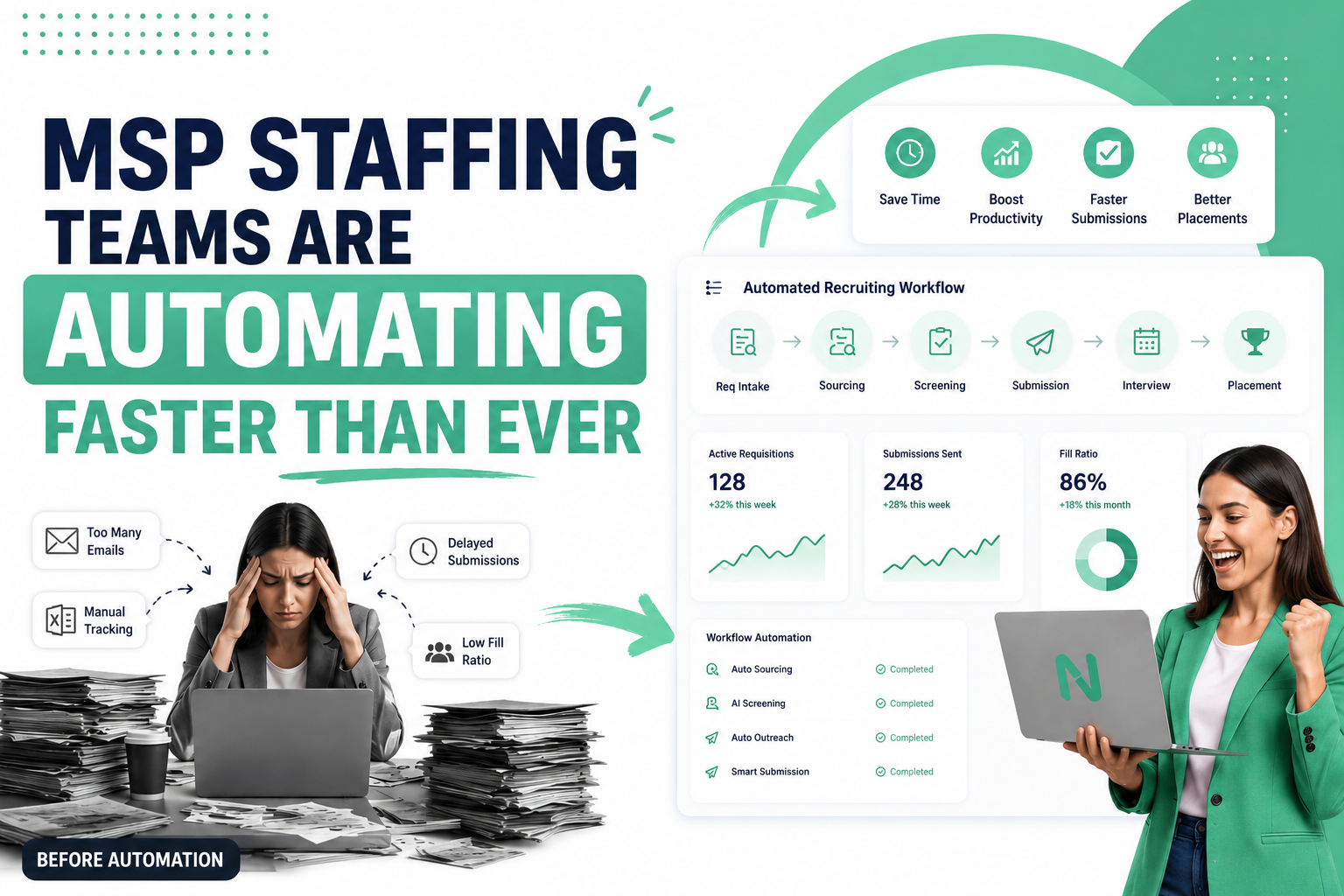
Recruiting workflow automation is the use of software to execute, route, and manage repetitive recruiting tasks, req intake, candidate assignment, outreach sequences, submission formatting, interview scheduling, and reporting, without manual recruiter action at each step.
For MSP staffing operations, the biggest opportunity isn't automated resume parsing, it's automating the sequence of steps that move a requisition from open to filled. Think about what actually slows down a high-volume delivery team. It's rarely a shortage of candidates. More often, it's the 90-second task that happens 40 times a day, formatting a submission, sending a status email, logging an interview confirmation, copying data between systems. Individually trivial. Collectively, they consume 30–40% of a recruiter's productive workday.
- Recruiting workflow automation reduces manual, repetitive task load on recruiters.
- The core value is speed and consistency, not AI magic.
- Automation works best on high-frequency, low-judgment tasks.
- MSP and VMS environments have unique requirements generic ATS platforms rarely address.
- Results are measurable: faster time-to-submit, higher fill ratios, better SLA performance.
| Workflow Stage | Key Activities | Manual Pain Points |
|---|---|---|
| Req Intake | Parse requirements, assign recruiter, confirm SLA | Reqs fall through cracks; assignment takes hours |
| Sourcing | ATS search, job posts, Boolean searches | Repetitive searches, stale records |
| Screening | Resume review, phone screens, shortlisting | No standardized criteria, inconsistent quality |
| Submission | Format resume, complete VMS profile, submit | Time-consuming formatting, submission errors |
| Interview Coordination | Schedule, confirm, prep candidates | Back-and-forth scheduling, no-shows |
| Reporting | SLA tracking, submission reports, fill dashboards | Manual data pulls, delayed visibility |
A mid-sized MSP firm handling 150 active reqs per week had 12 recruiters. Each spent ~22 minutes per submission on formatting, VMS data entry, and status emails. At 6 submissions/day, that was 2+ hours of admin per recruiter daily. Automating submission formatting and VMS population alone recovered nearly an hour per recruiter per day.
Why MSP Operations Become Inefficient at Scale
MSP staffing operations become inefficient at scale because they add headcount to absorb volume instead of automating the underlying workflow. As req load grows, so does recruiter cognitive overhead, more clients, more VMS portals, more SLAs, more submission formatting.
There's a pattern in almost every mid-to-large MSP program. The first 40 reqs a week are manageable. Then volume grows, 80 reqs, 120, 200. Rather than changing the operating model, most firms just hire more recruiters.
Recruiter overload. High-volume recruiters juggle 15–25 open reqs simultaneously. Older reqs age. Good candidates slip through. Follow-ups get skipped.
VMS complexity. Switching between Fieldglass, Beeline, IQNavigator, and Coupa is cognitively expensive. Recruiters lose time to context-switching and data re-entry.
Fragmented systems. The average staffing firm uses 4–7 different tools, ATS, VMS, CRM, job boards, communication platforms, spreadsheets, that don't share data automatically.
The Hidden Cost of Manual Recruiting Workflows
Nobody calculates the cost of manual workflows because nobody sees all of it at once. Each piece looks small. But they add up.
| Activity | Time per Recruiter/Week | Automation Opportunity |
|---|---|---|
| Req intake & review | 2–3 hours | Auto-parse, classify, assign with triggers |
| ATS searches & candidate ID | 4–6 hours | AI-assisted candidate matching |
| Outreach emails & follow-ups | 3–5 hours | Automated multi-step sequences |
| Resume formatting for VMS | 3–4 hours | Templated auto-formatting by client |
| VMS data entry | 2–4 hours | Automated field population from ATS |
| Interview scheduling & confirmation | 2–3 hours | Self-schedule links + auto confirmations |
| Reporting & dashboard updates | 2–3 hours | Real-time auto-generated reporting |
| Total (estimated) | 19–30 hrs/week | 50–70% reducible through automation |
The most dangerous manual tasks aren't the obvious ones, they're the quick tasks done dozens of times per day. A 90-second status update sent 20 times a day is 30 minutes. Across a 10-person team, that's 5 hours daily, more than a full FTE's productive output, consumed by a single task automation handles in milliseconds.
7 Recruiting Workflows MSP Teams Should Automate First
1. Req Intake & Assignment
New reqs arrive through VMS portals, email, or direct client communication, often unpredictably. Without automation, someone manually reads each req, decides who gets it, confirms the assignment, and enters it into the ATS.
Delivery manager reviews incoming reqs, manually assigns to recruiter, notifies via Slack or email.
Auto-parse req details from VMS feed, classify by skill category, assign using workload-based routing rules, trigger SLA countdown.
Req-to-recruiter assignment time drops from 2–4 hours to under 5 minutes. SLA clock starts immediately.
Critical for multi-client MSP programs where reqs arrive simultaneously across multiple VMS platforms.
2. Candidate Sourcing Triggers
Most recruiters start sourcing from scratch each time a req opens, running the same Boolean searches, reviewing the same database segments with no structured system for reactivating warm candidates.
Recruiter manually searches ATS, runs LinkedIn searches, reviews recent applicants.
When req is assigned, automatically run matching logic against ATS, surface top candidates, trigger reactivation sequences for warm candidates.
Time from req assignment to first shortlist drops from 4–8 hours to under 60 minutes.
Redeployment rate. Strong MSP programs redeploy 30–40% of placements, automated sourcing triggers make that happen.
3. Resume Screening
In high-volume environments, recruiters managing 15–20 reqs can't read every resume thoroughly. Without structured screening, they either miss SLAs (too slow) or submit weak candidates (too fast).
Recruiter reviews resumes one by one, mentally checking requirements, deciding shortlist without standardized criteria.
Apply structured scoring against must-have criteria, filter duplicates, route pre-qualified shortlist to recruiter.
Recruiter reviews 5–8 pre-qualified candidates vs. 40–60 raw profiles. Screening time drops 60–70%.
Standardized criteria improve submission quality, directly improving interview-to-submission ratios.
4. Candidate Outreach Sequences
A recruiter contacts a candidate once. If no response, the candidate is abandoned. Most staffing firms lose 20–35% of potential placements simply by stopping follow-up after one or two attempts.
Recruiter sends initial message, maybe one follow-up, then moves on. No structured sequence. No response tracking.
Multi-channel outreach sequences (email → text → call prompt) triggered automatically. Sequences pause when candidate responds.
Response rates improve from 15–20% (single-touch) to 35–55% (structured multi-touch).
Sequences must respect opt-out preferences and comply with TCPA/CAN-SPAM. Good platforms handle this automatically.
5. Submission Workflow
Every client submission is slightly different, different resume format, different VMS field requirements. Recruiters spend 15–25 minutes per submission on reformatting alone. At 6–8 submissions per day, that's 90–200 minutes of non-recruiting work daily.
Recruiter copies profile from ATS, reformats resume to client template, writes summary, manually enters data into VMS.
Client-specific templates auto-populate from ATS data. Resume formatting applied automatically. VMS fields mapped and populated.
Submission time drops from 15–25 minutes to 3–5 minutes. Submission capacity increases 40–60% without adding headcount.
Automated submission workflows make it easy to submit a candidate across multiple open reqs simultaneously.
6. Interview Coordination
Scheduling a single interview typically requires 4–7 back-and-forth interactions. Multiply across a team handling 30+ interviews per week and you have a significant coordination burden causing delays and no-shows.
Recruiter coordinates availability between candidate and client, proposes times, sends calendar invites manually, sends reminders.
Client provides availability windows. Candidates receive self-schedule link. Automated reminders sent 24hr and 1hr before.
Interview coordination time drops 65–75%. No-show rates fall 15–25% due to automated reminders.
Self-scheduling improves candidate experience, a differentiator when recruiting competitive candidates.
7. Reporting & Analytics
Delivery managers need visibility into req aging, submission velocity, SLA compliance, and fill rates. In manual environments, that comes from someone building spreadsheets, typically weekly, already out of date when delivered.
Operations analyst pulls data from ATS, VMS, and spreadsheets every week. Report takes 3–5 hours to build.
Real-time dashboards aggregate data automatically. SLA alerts trigger before violations occur. Weekly reports auto-generate and distribute.
Reporting burden drops from 3–5 hours weekly to near zero. Decision-making improves with real-time data.
Automated reporting gives MSP program managers visibility to demonstrate SLA performance to enterprise clients.
How Workflow Automation Improves Recruiter Productivity
Workflow automation improves recruiter productivity by eliminating repetitive administrative tasks that consume 30–40% of a recruiter's day. When submission formatting, outreach sequences, interview scheduling, and status reporting are automated, recruiters redirect that time toward candidate engagement and submission quality.
| Metric | Manual Workflow | Automated Workflow | Improvement |
|---|---|---|---|
| Hours/week in admin tasks | 19–30 hrs | 6–9 hrs | ~65% reduction |
| Qualified submissions/recruiter/week | 18–25 | 32–45 | ~75% increase |
| Active reqs managed per recruiter | 12–18 | 22–35 | ~80% increase |
| Response rate on candidate outreach | 15–22% | 35–55% | ~2x improvement |
| Time to first submission | 36–72 hrs | 8–18 hrs | ~60% reduction |
| Interview-to-offer cycle | 5–8 days | 3–5 days | ~35% reduction |
A staffing firm with 8 recruiters handling IT contingent labor was averaging 21 placements per month. After implementing submission templating, candidate outreach sequences, and automated req assignment, the same team reached 34 placements per month within 90 days. No additional headcount. Same candidate database.
Reducing Time-to-Submit Through Workflow Automation
Workflow automation reduces time-to-submit by eliminating the manual steps between req receipt and candidate submission. Each step adds hours. Automating them compresses a 36–72 hour average into a competitive 8–18 hours, significantly improving SLA performance and submission positioning.
In a VMS environment, time-to-submit is a competitive advantage. Enterprise clients distribute the same req to multiple suppliers simultaneously. The supplier who gets qualified candidates in earliest captures the interview, and the placement.
Req Assignment Delay
Delivery manager doesn't see the req until they check the VMS or email. Depending on timing, this alone adds 2–6 hours, or 12–16 overnight.
Sourcing Startup Time
Building a candidate list from scratch takes 1–3 hours. The recruiter re-runs searches they've likely run before.
Candidate Outreach Wait Time
Without a structured multi-touch sequence, responses trickle in slowly. Average response time in manual environments: 18–30 hours.
Submission Formatting
Resume reformatting and VMS data entry add 15–25 minutes per submission. At 6+ submissions, that's 1.5–2.5 hours before sourcing can resume.
| Stage | Manual | Automated |
|---|---|---|
| Req-to-recruiter assignment | 2–8 hours | Under 5 minutes |
| Shortlist from database search | 2–4 hours | 20–40 minutes |
| Outreach to first response | 18–30 hours | 6–12 hours |
| Submission formatting per candidate | 15–25 min | 3–5 min |
| Total time-to-first-submission | 36–72 hours | 8–18 hours |
In VMS environments where multiple suppliers compete on every req, submitting 24 hours faster isn't marginal, it's often the difference between filling a req and losing it. Enterprise clients frequently interview the first 3–5 qualified submissions, then close the req. Time-to-submit isn't an operational metric. It's a revenue metric.
How Automation Improves Fill Ratios
Automation improves fill ratios by increasing submission volume, improving submission quality, and accelerating candidate engagement. Fill ratios in well-automated MSP programs typically run 10–18 percentage points higher than manual operation equivalents.
| Automation Capability | How It Improves Fill Ratio | Estimated Impact |
|---|---|---|
| Faster req assignment | More time in the submission window | +3–5% |
| Automated database matching | Surfaces warm candidates first | +4–8% |
| Multi-touch outreach sequences | Higher response rates = more candidates | +5–10% |
| Submission quality standardization | Higher interview conversion | +3–6% |
| Redeployment automation | Keeps placed talent warm for next req | +5–12% |
| Interview scheduling speed | Fewer candidate drop-offs | +2–4% |
An IT staffing firm serving a financial services MSP client was filling 28% of assigned reqs. After automating req assignment, implementing 3-touch outreach sequences, and standardizing submission templates, fill ratio climbed to 41% within the first quarter. No additional headcount.
Workflow Automation in VMS and MSP Environments
VMS and MSP environments have workflow requirements that generic ATS platforms weren't designed for. The multi-client, multi-VMS, compliance-intensive nature of enterprise contingent staffing requires purpose-built automation logic.
Multi-client req management. A firm managing 5 enterprise clients needs workflow logic that knows which submission template to use for each client, which VMS to submit into, and which SLA clock to track against.
Candidate exclusivity. In VMS environments, submitting a candidate already submitted by another supplier creates compliance violations. Automated deduplication and submission tracking prevent this.
SLA management. Enterprise MSP contracts include specific SLA commitments. In an automated environment, they're enforced by the workflow itself, not heroic manual effort.
| Workflow Area | Manual | Automated |
|---|---|---|
| Req assignment speed | 2–8 hours | <5 minutes |
| SLA tracking | Spreadsheet, checked periodically | Real-time alerts before violations |
| Candidate deduplication | Memory + manual search | Automated pre-submission check |
| Client submission format | Recruiter-specific template | Auto-applied client-specific template |
| VMS data entry | Manual field-by-field entry | Automated field mapping |
| Performance reporting | Weekly manual report | Real-time dashboard, auto-distributed |
Building an Automated Recruiting Operating System
The goal isn't to automate individual tasks in isolation. The goal is a connected set of workflows that moves reqs through the pipeline consistently and with minimal manual intervention at each step.
Req Intake: VMS or client submission triggers req creation. Automation parses job requirements, tags skill categories, confirms SLA window.
Automated Assignment: Routing rules evaluate recruiter workload, specialty match, and client familiarity. Assigned and notified within minutes.
AI Sourcing: Database matching runs immediately. Top candidates surfaced for review. Reactivation sequences launch for warm candidates.
Screening: Scoring criteria filter the pool. Flagging logic identifies duplicates. Recruiter reviews a pre-qualified shortlist.
Outreach: Multi-touch sequences launch across preferred channels. Responses update the candidate record automatically.
Submission: Client-specific templates auto-populate. VMS fields map and populate. Confirmation triggers stakeholder notifications.
Interview: Interview requests trigger scheduling workflows. Candidate receives self-schedule link. Confirmations send automatically.
Placement: Offer acceptance triggers onboarding workflow. Redeployment alert set for end of assignment.
Reporting: Every action feeds real-time dashboards. SLA alerts fire before violations. Weekly reports auto-generate.
Why Automation Does Not Replace Recruiters
Automation handles repetition, consistency, and scale. It executes the same workflow the same way, every time. But it doesn't build trust with a passive candidate skeptical about leaving a stable role. It can't read the room on a salary negotiation or know that a particular hiring manager prefers a communication style not visible in a job description.
| What Automation Handles Well | What Recruiters Do Better |
|---|---|
| Repetitive task execution | Building candidate relationships |
| Multi-step workflow sequencing | Persuading passive candidates |
| Data entry and field mapping | Assessing cultural fit |
| Outreach sequence management | Reading candidate hesitation |
| Calendar scheduling logistics | Managing difficult negotiations |
| SLA tracking and alerts | Problem-solving complex placements |
| Report generation | Client relationship management |
When automation handles the mechanical steps, recruiters spend more time on high-judgment, relationship-intensive work. The result isn't fewer recruiters, it's better recruiters doing more meaningful work.
Choosing Recruitment Workflow Automation Software
Evaluating recruiting automation for an MSP staffing context requires a different lens than evaluating for a corporate TA team filling 50 roles per year.
| Capability Area | What to Look For | Red Flags |
|---|---|---|
| VMS Integration | Native/API connections to Beeline, Fieldglass, Coupa, IQN | Manual CSV upload as the integration |
| Workflow Flexibility | Configurable rules, conditional logic, multi-step triggers | Rigid templates, no client customization |
| Multi-Client Management | Client-specific templates, rules, SLA tracking | One-size-fits-all submission format |
| Outreach Automation | Multi-channel sequences, response detection, opt-out compliance | Email-only, no sequence logic |
| Reporting & Dashboards | Real-time visibility, SLA alerts, recruiter performance metrics | Report exports only, no live data |
| Usability | Recruiters learn core workflows in under a week | Months of implementation required |
Evaluation Checklist
- ✓Can the platform automate req intake from our VMS systems?
- ✓Does it support client-specific submission templates?
- ✓Can we set SLA-based routing and escalation rules?
- ✓Does it include multi-step candidate outreach sequences?
- ✓Does it support SMS + email outreach with opt-out compliance?
- ✓Can we track submission status across multiple VMS portals in one view?
- ✓Does it provide real-time dashboards for delivery managers?
- ✓Can we automate end-of-assignment redeployment triggers?
- ✓Is workflow logic configurable without developer support?
- ✓What does onboarding look like, and how long until we're operational?
See How NinjaHire Automates Your Recruiting Workflows
Purpose-built for MSP staffing operations. No complex implementation. Operational within days.
Start Automating Workflows See a DemoFrequently Asked Questions
What is recruitment workflow automation?
Recruitment workflow automation is the use of software to execute, route, and manage the repetitive steps in the recruiting process, req intake, candidate assignment, outreach sequences, submission formatting, interview scheduling, and reporting, without requiring manual recruiter action at each step.
How does workflow automation improve recruiter productivity?
By eliminating repetitive administrative tasks that consume 30–40% of a recruiter's day. Automated teams typically manage 80–100% more active reqs per recruiter than manual teams.
What recruiting tasks should be automated first?
Start with the highest-frequency, lowest-judgment tasks: req intake and assignment, candidate outreach sequences, and submission formatting. These three areas consume the most recruiter time and have the clearest automation path.
Can automation reduce time-to-submit?
Yes, significantly. Manual workflows average 36–72 hours from req receipt to first submission. Automating req assignment, database matching, and outreach sequences compresses that to 8–18 hours, often the difference between making the interview list or not.
How does workflow automation improve fill ratios?
By increasing submission speed, improving submission quality, and improving candidate response rates. Well-automated MSP programs typically run fill ratios 10–18 percentage points higher than manual equivalents.
Will automation replace recruiters?
No. Automation handles repetitive, rule-based workflow execution. Relationship-building, candidate persuasion, cultural assessment, and complex problem-solving still require human judgment. Automation frees recruiters from administrative work so they spend more time on activities that actually drive placements.
How does staffing workflow automation work in VMS environments?
VMS-integrated workflow automation connects to platforms (Beeline, Fieldglass, Coupa, IQN) via API. When a new req arrives, it triggers the pipeline: req parsing, recruiter assignment, database matching, outreach, and submission back into the VMS with client-specific formatting. SLA clocks and deduplication checks run automatically.
How long does it take to implement recruiting workflow automation?
Purpose-built platforms like NinjaHire are designed to be operational within days for core workflows. Full pipeline automation including VMS integration typically takes 2–6 weeks.
What is candidate redeployment automation?
Redeployment automation sets triggers around contractor end dates. When a placed candidate is within 2–4 weeks of assignment ending, the system automatically initiates re-engagement, confirming availability, matching against open reqs, and initiating submission if a match exists. Strong MSP programs redeploy 30–40% of their talent pool this way.
How does automation help with SLA management?
Automated SLA management tracks every req against its committed submission and fill windows in real time. When a req approaches its SLA deadline without a submission, the system automatically escalates, preventing violations rather than reporting on them after the fact.
How much does recruiting workflow automation cost?
Purpose-built platforms for staffing agencies typically range from $300–$2,000+ per month depending on volume and capabilities. If automation recovers 5–10 hours per recruiter per week and that capacity converts to additional placements, the return typically far exceeds platform cost within the first billing cycle.