.png)
.jpeg)
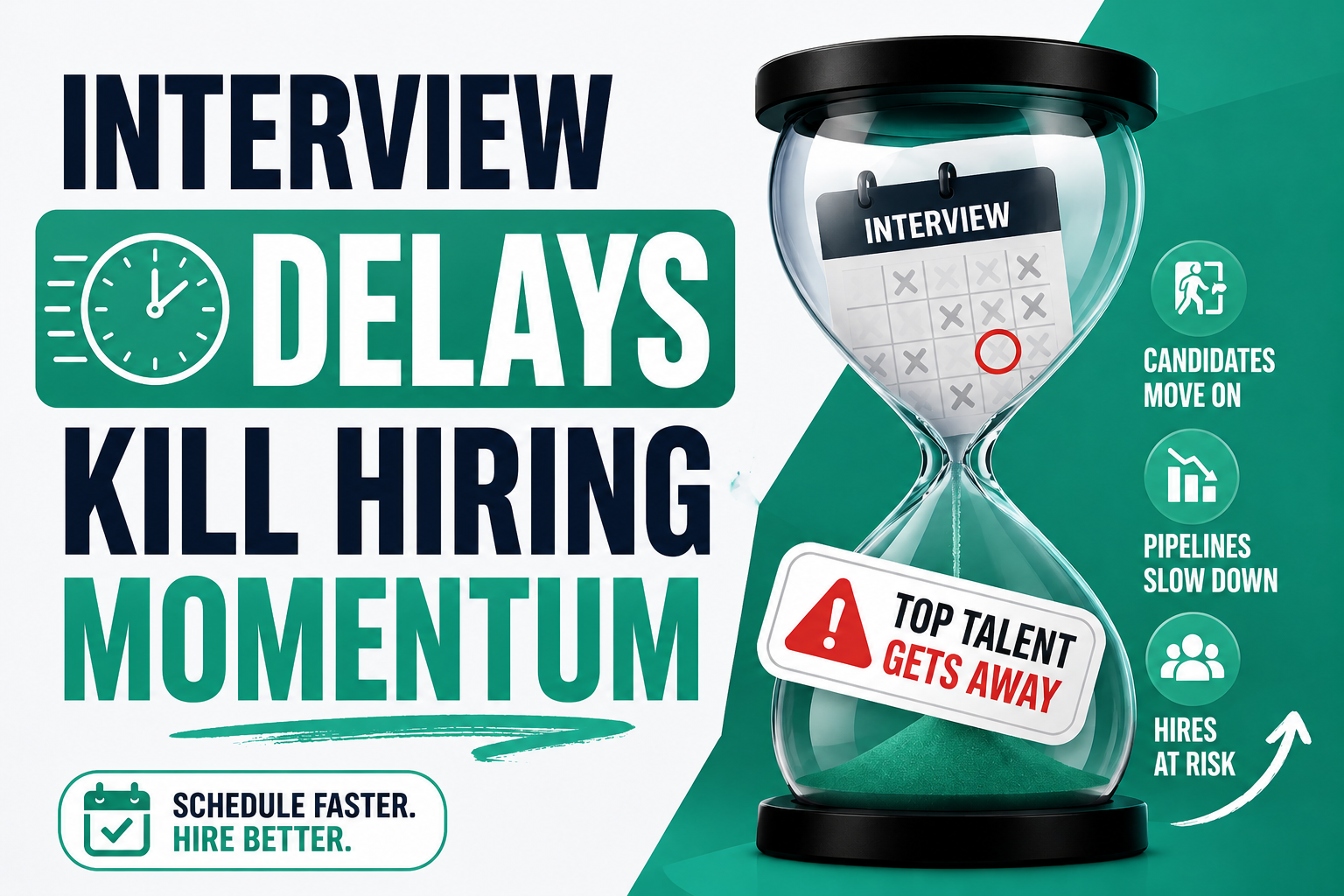
Here's a scenario that plays out in recruiting teams constantly: a recruiter spends 45 minutes sourcing a strong candidate, runs a solid phone screen, and then loses the person entirely, not to a competing offer, but to a scheduling back-and-forth that took four days to resolve. By the time the interview was confirmed, the candidate had accepted something else.
That's not a sourcing failure. It's a workflow failure. And it's more common than most recruiting leaders want to admit.
Manual interview coordination, finding mutual availability, sending calendar invites, managing interviewer conflicts, sending reminders, handling reschedules, consumes a disproportionate share of recruiter time while simultaneously creating friction for candidates who are already evaluating multiple options. The result is slower pipelines, higher no-show rates, and candidates who drop off before the conversation really starts.
Automated interview scheduling software solves this specific problem. Not by replacing recruiters, but by removing the coordination overhead that sits between a phone screen and an interview seat.
Why Interview Scheduling Becomes a Recruiting Bottleneck
Interview scheduling becomes a recruiting bottleneck when the back-and-forth coordination between recruiter, candidate, and interviewer consumes more time than the interview itself. In high-volume environments, this friction compounds across dozens of open roles, creating pipeline delays, candidate drop-offs, and SLA misses that are entirely avoidable.
It rarely starts as a bottleneck. One recruiter, one role, one hiring manager, the coordination is manageable. The problem shows up when volume grows. A recruiter managing 15 open reqs with an average of 4–6 active candidates per role is suddenly coordinating 60–90 interview scheduling conversations simultaneously. That's not an exaggeration, that's a normal high-volume quarter.
Back-and-forth coordination. The average interview scheduling exchange involves 4–7 emails or messages before a time is confirmed. At volume, this creates a continuous background coordination load that never fully resolves: there's always a reschedule, a missed confirmation, or an interviewer who updated their calendar after the invite was sent.
Interviewer availability conflicts. In panel interviews or multi-stage processes, finding a slot that works for a candidate, a recruiter, and two or three interviewers is genuinely difficult. Interviewers don't block their calendars proactively. Their availability changes. Meetings get added. The recruiting team often only discovers the conflict when the interview is already on the books.
Time zone complications. For enterprise teams hiring across regions, or staffing agencies filling roles across multiple client sites, time zone management adds another layer of coordination overhead that manual scheduling handles poorly.
Communication gaps. When scheduling happens through email threads, Slack messages, and ATS notes in parallel, important details get missed. Candidates don't receive preparation instructions. Interviewers show up without context. Reminders don't go out. The result is interviews that happen unprepared, or don't happen at all.
What Is Automated Interview Scheduling Software?
Automated interview scheduling software eliminates the manual back-and-forth of interview coordination by letting candidates self-select interview times from real availability, syncing with interviewer calendars, and automatically sending confirmations, reminders, and preparation materials, without recruiter involvement at each step.
The core mechanics are straightforward: the platform connects to recruiter and interviewer calendars, surfaces real available time slots, and sends candidates a scheduling link. The candidate picks a time. Invites go out automatically. Reminders follow. If a reschedule is needed, the candidate handles it directly without creating a new coordination thread.
In more sophisticated implementations, the platform handles multi-interviewer coordination (finding slots where all required participants are available), panel interview sequencing, time zone detection, and automated post-interview follow-ups. For recruiting teams operating at scale, these aren't nice-to-have features, they're what makes consistent execution possible without adding headcount.
- Candidate self-service scheduling with real calendar availability
- Automatic calendar sync with recruiter and interviewer calendars
- Confirmation and reminder sequences (email + SMS)
- Multi-interviewer and panel scheduling coordination
- Rescheduling workflows without recruiter involvement
- Interview preparation content delivery
- Pipeline status tracking and scheduling analytics
Where Scheduling Delays Hurt Candidate Pipelines
Scheduling delays don't hit every stage equally. Some stages are more sensitive to friction than others: understanding where the drop-off actually happens is where the automation opportunity is clearest.
| Hiring Stage | Scheduling Bottleneck | Operational Impact | Automation Opportunity |
|---|---|---|---|
| Phone Screening | Recruiter availability conflicts; manual calendar negotiation | Delays first contact; warm candidates cool off | Self-schedule links from outreach message |
| First Interview | 4–7 message back-and-forth to find mutual availability | 28% of candidates drop off here; pipeline stalls | Calendar sync with automated slot delivery |
| Panel Interviews | Multi-interviewer availability rarely aligns without coordination effort | Days of delay; candidate accepts elsewhere | Group availability detection, auto-scheduling |
| Final Interviews | Senior stakeholder calendars hard to access; manual requests to EA | Longer cycle; perception of disorganization | Dedicated scheduling rules for exec calendars |
| Recruiter Follow-Ups | Manual reminders, no tracking on whether candidate opened invite | No-shows, silent drops, delayed feedback loops | Automated reminder sequences + engagement tracking |
The riskiest moment in most recruiting pipelines isn't the offer stage, it's the 48 hours after a phone screen. Candidates are most engaged and most likely to drop off during that window. Teams that can schedule the next interview within 24 hours of a positive screen consistently outperform those that can't, regardless of all other factors.
The Recruiting Workflows That Should Be Automated
Self-Service Candidate Scheduling
The default candidate scheduling experience in most recruiting teams involves the recruiter proposing two or three time options, the candidate responding with their availability, a counter-proposal, and a final confirmation. That's four interactions minimum before an invite is sent. In a fast pipeline, those four interactions happen over two days.
Recruiter acts as scheduling intermediary for every candidate, consuming time proportional to volume.
Candidate receives a scheduling link showing real availability. One click confirms. Invite sends automatically.
Eliminates 4–6 messages per scheduling interaction. At 10 interviews per week, that's 40–60 fewer coordination messages.
Reduces scheduling friction dramatically. Candidates can book at 10pm from their phone without waiting for business hours.
Automated Interview Reminders
No-shows are the single most demoralizing inefficiency in recruiting. An interview slot sat empty because a candidate forgot, or because the only reminder was a calendar invite from a week ago, represents lost recruiter time, lost interviewer time, and a delayed hiring decision.
Recruiter either manually sends day-before reminders or doesn't, inconsistently. No-show rate varies by recruiter habit.
Multi-step reminder sequence: 24-hour email + SMS, 1-hour SMS, post-interview follow-up. All automatic, all consistent.
Reminders happen reliably regardless of recruiter workload. No manual tracking required.
Candidates feel prepared and engaged. Reminder sequence also delivers interview format info and prep materials.
Recruiter Calendar Sync
When a recruiter's calendar isn't connected to their scheduling workflow, every booking requires manual availability checking. In multi-recruiter teams, this creates double-booking risks and inconsistent scheduling windows.
Recruiter checks calendar manually, proposes times, updates ATS, sends invite. Each step is manual and error-prone.
Platform syncs with recruiter calendar in real time. Availability is always current. No double-booking. Invites create automatically.
No more calendar conflicts. Scheduling requests can be actioned without the recruiter being in the loop for each one.
Candidate sees accurate availability. No reschedule requests because a slot turned out to be unavailable.
Multi-Interviewer Coordination
Panel interviews are the most scheduling-intensive part of any hiring process. Finding a two-hour window where a candidate, a hiring manager, and two technical interviewers are all available can take days in manual environments, and that's if everyone responds promptly.
Recruiter manually checks each interviewer's calendar, proposes composite slots, manages updates when one person's availability changes.
Platform aggregates all interviewer calendars and surfaces only slots where everyone is available. Candidate sees one clean booking link.
Panel scheduling time drops from 1–2 hours per panel to under 5 minutes. Coordination no longer falls to the recruiter.
Candidate experiences a single, coherent scheduling interaction instead of a fragmented multi-step process.
Interview Rescheduling Automation
Reschedules happen. The difference between a reschedule that stays in the pipeline and one that becomes a drop-off is how quickly and easily the candidate can find a new time. In manual workflows, a reschedule request creates a new coordination thread, right back to square one.
Candidate requests reschedule, recruiter manually finds new slot, confirms with interviewer, resends invite. Takes hours to a full day.
Reschedule link in every confirmation. Candidate picks new time directly, calendar updates automatically, notifications send to all parties.
Recruiter is notified, not involved. Zero manual coordination for standard reschedules.
Candidate can reschedule at any hour without friction. Removes the most common reason for drop-offs during interview coordination.
Candidate Follow-Up Workflows
Post-screen and post-interview follow-up is one of the most inconsistently executed parts of most recruiting operations. When it's manual, it depends entirely on recruiter bandwidth. When volume spikes, it's the first thing that slips.
Recruiter manually sends post-screen follow-ups when time allows. Candidate waits 24–48 hours for next steps. Engagement drops.
Follow-up triggered automatically based on pipeline stage. Candidate receives next-steps communication within minutes of stage change.
Follow-up consistency is no longer dependent on recruiter workload. Candidates always get timely communication.
Consistent engagement signals organization and respect for candidate time, a key differentiator in competitive hiring markets.
Interview Pipeline Tracking
Delivery managers need visibility into where every candidate sits in the scheduling process, not from a weekly status meeting, but in real time. Manual tracking creates a visibility lag that makes pipeline management reactive instead of proactive.
Delivery manager asks recruiter for status. Recruiter checks notes, ATS, email thread. Status is a snapshot from whenever they last updated it.
Platform tracks every scheduling interaction. Dashboard shows confirmed, pending, and at-risk interviews in real time. SLA alerts fire before misses.
Eliminates status reporting burden. Issues surface before they become escalations.
Real-time visibility enables proactive intervention: a recruiter can course-correct on a stalled scheduling thread before it becomes a drop-off.
How Automated Scheduling Improves Candidate Pipeline Efficiency
Automated interview scheduling improves pipeline efficiency by compressing the time between candidate engagement and interview confirmation from days to hours, reducing no-show rates through consistent reminder sequences, and freeing recruiter time from coordination tasks so it goes toward sourcing and candidate relationships.
| Metric | Manual Scheduling | Automated Scheduling | Improvement |
|---|---|---|---|
| Time from screen to interview booked | 24–72 hours | 2–8 hours | ~70% faster |
| Scheduling coordination messages per interview | 4–7 messages | 0–1 messages | ~85% reduction |
| Interview no-show rate | 18–25% | 8–12% | ~50% reduction |
| Recruiter hours on scheduling per week | 6–10 hours | 1–2 hours | ~80% reduction |
| Candidate drop-off between screen and interview | 25–35% | 12–18% | ~40% reduction |
| Panel interview coordination time | 1–2 hours/panel | Under 5 minutes | ~90% reduction |
| Interview-to-offer cycle length | 8–14 days | 4–8 days | ~45% faster |
A staffing agency running 80 active reqs per month was losing 30–35% of candidates between phone screen and first interview, primarily due to a 3–4 day scheduling gap. After implementing self-service scheduling with automated reminders, the gap compressed to under 8 hours, drop-off fell to 14%, and the team filled 18% more reqs in the following quarter without increasing headcount.
How Automated Scheduling Reduces Interview No-Shows
Automated scheduling reduces interview no-shows by delivering consistent multi-step reminder sequences (24-hour email, 1-hour SMS), making rescheduling easy before the no-show happens, and providing candidates with preparation materials that increase engagement. Teams using automated reminders typically see no-show rates fall from 18–25% to 8–12%.
No-shows are rarely about disinterest. Most happen because of a combination of forgetfulness, unclear logistics, anxiety about the interview format, and friction in the rescheduling process. The candidate who planned to reschedule but couldn't reach the recruiter in time, that's not a disengaged candidate. That's a coordination failure.
Reminder sequencing. A single calendar invite sent on the day of scheduling is not a reminder, it's a bookmark. Effective reminder sequences include a 24-hour advance notice (email), a 1-hour reminder (SMS preferred for open rates), and a confirmation link the candidate can click to signal they're ready. Each touchpoint both reminds and re-engages.
Easy rescheduling before no-show. The most important no-show prevention mechanism isn't a reminder, it's a frictionless reschedule path. When candidates know they can reschedule without making an awkward call to a recruiter, they do it. When rescheduling requires sending an email and waiting for a response, they sometimes just don't show up.
Interview preparation content. Candidates who know what to expect are more likely to show up. Automated pre-interview emails that include interview format, who they'll be speaking with, what to prepare, and the video conference link, sent 24 hours before, reduce anxiety-driven no-shows and improve the quality of the interview itself.
Automated Interview Scheduling for Staffing Agencies
Staffing agencies face a version of the scheduling problem that's more acute than most in-house teams. A single recruiter at a staffing agency might be coordinating interviews across 8–12 active reqs simultaneously, each with a different client contact, different scheduling preferences, and different interview formats. The coordination overhead compounds quickly.
High-volume req management. When a recruiter is managing 15 reqs with 3–5 active candidates each, manual scheduling isn't just inefficient, it becomes a source of errors. Candidates get the wrong invite. Interviewers get conflicting bookings. Reminders don't go out. Automated scheduling eliminates the error surface entirely by removing manual steps.
Client coordination. Staffing agencies don't control the interviewer's calendar. They depend on the client contact to provide availability, and client contacts are busy. Automated scheduling tools that let the agency set up scheduling links based on client-provided availability windows, without requiring the client to interact with the system, reduce the coordination friction between agency and client significantly.
MSP program workflows. In MSP staffing environments where SLAs govern every stage of the pipeline, scheduling delays directly threaten program performance. An automated scheduling layer that ensures every candidate who passes screening has an interview booked within 24 hours isn't a nice feature, it's a delivery requirement.
A mid-sized IT staffing agency serving three enterprise MSP clients had a consistent SLA miss on first-interview scheduling: they were hitting the 48-hour SLA only 61% of the time. After implementing automated self-service scheduling triggered by phone screen completion, first-interview SLA compliance reached 89% within 60 days. No recruiter headcount changes.
Automated Scheduling for Enterprise Hiring Teams
Enterprise recruiting presents a different set of scheduling challenges than staffing. The req volume per recruiter is often lower, but the complexity per hire is higher: multi-stage processes, panel interviews, cross-functional stakeholders, global time zones, and executive-level calendar constraints that resist automation.
Panel interview coordination. Enterprise hiring routinely involves 3–5 interviewers per candidate. Coordinating a two-hour panel window across a hiring manager, two technical interviewers, and an HR representative, while also accommodating candidate availability, is a scheduling puzzle that can take a recruiter an hour or more to solve manually. Automated multi-interviewer scheduling solves it in seconds by aggregating real availability across all required participants.
Global hiring and time zones. Recruiting teams hiring across regions deal with a scheduling arithmetic problem that manual processes solve poorly. Automated scheduling tools with time zone detection present candidates with available slots in their local time, eliminating the "I thought I converted it correctly" miscalculation that causes no-shows in international pipelines.
Candidate experience at scale. Enterprise candidates, especially senior or technical candidates evaluating multiple offers, are highly sensitive to the quality of the hiring process. A scheduling experience that involves four days of back-and-forth emails before an interview is confirmed signals something about how the organization operates. A clean, instant scheduling interaction signals something different.
AI Hiring Software and Scheduling Automation
Interview scheduling automation doesn't exist in isolation. For recruiting teams building toward a more automated delivery model, scheduling sits at the intersection of several connected workflow layers: candidate outreach, interview intelligence, and pipeline analytics.
On the outreach side, automated scheduling links embedded in candidate engagement sequences close the gap between first contact and first interview. A candidate receives an outreach message, responds with interest, and is immediately presented with a scheduling link: the pipeline moves forward without any recruiter involvement in that handoff.
On the interview quality side, scheduling automation connects naturally with AI interview transcription and evaluation workflows, where the interview itself is captured, transcribed, and scored automatically, giving recruiters structured data to work from rather than relying on memory or hand-written notes from a call that happened three days ago.
For teams evaluating where structured assessments fit into the process, the relationship between pre-employment testing and AI interviews becomes relevant, particularly for high-volume pipelines where scheduling efficiency and evaluation quality need to scale together.
The broader picture is a recruiting workflow where every step between sourcing and offer has an automated layer: outreach sequences, scheduling automation, AI interview evaluation, and pipeline analytics. Scheduling is often the fastest win because the ROI is immediate and the implementation is straightforward, but it becomes more powerful as the connected workflow layers are in place around it.
How to Choose Automated Interview Scheduling Software
Evaluating scheduling automation for a recruiting context requires a different checklist than evaluating a general calendar tool. The requirements are more specific, and the failure modes are more operationally damaging.
| Capability | What to Look For | Red Flags |
|---|---|---|
| ATS Integration | Native sync with your ATS; scheduling activity logged automatically | Manual CSV export; no ATS connection |
| Recruiter Usability | Recruiters can set up scheduling workflows in minutes, not days | Requires IT setup or professional services to configure |
| Candidate Experience | Mobile-friendly, no login required, works in any browser | Requires candidate to create an account to book |
| Multi-Interviewer Support | Automated panel availability aggregation | Manual interviewer coordination for group interviews |
| Reminder Sequences | Multi-step email + SMS reminders, configurable timing | Single calendar invite only; no reminder automation |
| Rescheduling Workflow | Candidate can reschedule without recruiter involvement | Every reschedule creates a new coordination thread |
| Reporting & Analytics | No-show rates, scheduling cycle time, pipeline stage visibility | No scheduling analytics; data not accessible |
| Staffing/MSP Support | Multi-client workflows, SLA tracking, volume scheduling | Designed for low-volume in-house TA only |
Evaluation Checklist
- ✓Does it connect to our ATS and log scheduling activity automatically?
- ✓Can candidates schedule without creating an account?
- ✓Does it support multi-interviewer availability aggregation?
- ✓Can we configure automated reminder sequences (email + SMS)?
- ✓Can candidates reschedule directly without recruiter involvement?
- ✓Does it handle time zone detection automatically?
- ✓Can scheduling links be embedded in outreach emails?
- ✓Does it provide real-time pipeline visibility and scheduling analytics?
- ✓Is it configurable without developer or IT support?
- ✓How long until the team is operational: days or months?
See How NinjaHire Handles Interview Scheduling Automation
Built for recruiting teams who need scheduling to work at volume, without months of implementation.
Start Automating Scheduling See It in ActionThe Future of AI Scheduling in Recruiting Operations
The next evolution of interview scheduling isn't just calendar automation, it's intelligent coordination that works like a genuine recruiting operations layer, not a booking tool with reminders bolted on.
Conversational scheduling. Rather than sending candidates to a static booking page, conversational scheduling embeds availability interactions directly into messaging channels: text threads, email, chat. The candidate responds naturally ("Tuesday afternoon works for me") and the system finds and confirms the slot without requiring anyone to click a link or navigate a booking interface.
Predictive scheduling. Platforms are starting to use historical data to predict which candidates are at risk of no-show or drop-off based on engagement patterns: time since last contact, response lag, open rates on reminders, and trigger proactive outreach before the interview is missed.
AI interview coordination. Beyond scheduling, AI-assisted coordination starts to handle interview prep matching (sending relevant prep materials based on the role and interviewer), interviewer briefing automation (sending the right candidate context to each interviewer automatically), and post-interview feedback collection that doesn't require the recruiter to chase anyone down.
Teams building automated scheduling workflows now aren't just solving today's coordination problem. They're building the operational infrastructure that makes more sophisticated AI-assisted coordination possible as those capabilities mature.
Conclusion
Interview scheduling is one of the most overlooked sources of pipeline leakage in recruiting. It looks like a logistics problem, a calendar problem, even. But when you trace where qualified candidates actually disappear, scheduling friction and coordination delays show up consistently in the data.
The fix isn't complex. Automated self-service scheduling, consistent reminder sequences, frictionless rescheduling, and real-time pipeline tracking remove the coordination overhead that sits between a strong phone screen and a confirmed interview. The result is faster pipelines, fewer drop-offs, fewer no-shows, and recruiters who spend their time on work that actually requires human judgment.
NinjaHire's recruiting workflow automation platform includes interview scheduling automation built for the specific demands of high-volume and staffing environments, not generic calendar tools repurposed for recruiting. If your pipeline is losing candidates between screen and interview, that's where to start.
Frequently Asked Questions
What is automated interview scheduling software?
Automated interview scheduling software eliminates the manual coordination between recruiters, candidates, and interviewers by letting candidates self-select available interview times, syncing with all participants' calendars automatically, and delivering confirmations and reminders without recruiter action at each step.
How does interview scheduling automation work?
The platform connects to recruiter and interviewer calendars, identifies real available slots, and sends candidates a personalized scheduling link. When the candidate books a time, invites are sent automatically, reminders are queued, and the scheduling event is logged in the ATS, all without manual recruiter involvement.
Why do candidates drop off before interviews?
The primary causes are scheduling delays (the longer the gap between screen and interview, the higher the drop-off), friction in the scheduling process (back-and-forth that takes days), lack of follow-up communication, and difficulty rescheduling when life intervenes. Most candidate drop-off is preventable through faster, lower-friction scheduling workflows.
How can recruiters reduce interview no-shows?
Automated multi-step reminder sequences (24-hour email, 1-hour SMS) combined with easy rescheduling options and pre-interview preparation content delivered automatically. Teams using automated reminders typically reduce no-show rates from 18–25% down to 8–12%.
Does interview scheduling software integrate with ATS systems?
Purpose-built recruiting scheduling platforms integrate with major ATS systems, logging scheduling activity, updating candidate stage, and syncing interview details automatically. Integration quality is one of the most important evaluation criteria: manual CSV syncing is not a real integration for high-volume environments.
How does AI improve interview scheduling?
AI improves scheduling by automating availability matching across multiple participants, detecting time zones automatically, predicting no-show risk based on engagement patterns, and enabling conversational scheduling through messaging channels. It removes the cognitive load of coordination from recruiters entirely.
What is the best interview scheduling software for staffing agencies?
Staffing agencies need scheduling tools that support high-volume req management, multi-client workflows, SLA tracking, and integration with both their ATS and client VMS systems. Generic calendar tools designed for low-volume in-house TA don't address these specific operational requirements.
Can automated scheduling improve candidate experience?
Yes, significantly. Self-service scheduling lets candidates book at any hour without waiting for recruiter availability. Consistent reminders and preparation materials signal organization and respect for candidate time. The scheduling experience is often a candidate's first real impression of how the organization operates.
How does scheduling automation reduce recruiter workload?
By eliminating the 4–7 coordination messages per interview that manual scheduling requires. A recruiter handling 10 interviews per week in a manual workflow might spend 6–10 hours on scheduling coordination alone. With automation, that drops to 1–2 hours, primarily reviewing confirmed bookings and handling exceptions.
What recruiting workflows should be automated alongside scheduling?
Candidate outreach sequences (so scheduling links are delivered immediately after positive screens), post-interview follow-up workflows, pipeline stage updates, and interview feedback collection. Scheduling automation is most effective as part of a connected workflow, not as a standalone tool.
How long does it take to implement interview scheduling automation?
Purpose-built platforms can be operational within days for core workflows: self-service scheduling, calendar sync, and reminder sequences. Multi-interviewer coordination and ATS integration may take 1–2 weeks. Unlike complex ATS implementations, scheduling automation doesn't require extended onboarding to deliver value.
Is automated interview scheduling suitable for high-volume hiring?
High-volume hiring is where automated scheduling delivers the most immediate value. When a single recruiter is coordinating 40–60 interview scheduling conversations simultaneously, manual coordination isn't just inefficient, it's unsustainable. Automation makes consistent, high-quality scheduling execution possible regardless of volume.
How do SMS reminders compare to email reminders for reducing no-shows?
SMS reminders have significantly higher open rates than email, typically 95%+ vs 20–30% for email. For no-show prevention, SMS is more effective for the 1-hour reminder specifically; a multi-channel approach (24-hour email + 1-hour SMS) consistently outperforms either channel alone.
How does self-service scheduling affect candidate drop-off rates?
Self-service scheduling compresses the gap between phone screen and interview confirmation from days to hours. Since drop-off risk is directly correlated with time between touchpoints, faster scheduling consistently reduces drop-off. Teams that implement self-service scheduling typically see candidate drop-off between screen and first interview fall by 30–50%.
What metrics should recruiting teams track for interview scheduling performance?
Key metrics include: time from phone screen to interview booked, interview no-show rate, candidate drop-off rate between screen and interview, scheduling coordination messages per hire, and interview-to-offer cycle length. These metrics surface the specific bottlenecks that automation targets.